Quick answer
- What this covers: Compare OpenClaw hosting options for 2026.
- Who it’s for: People evaluating openclaw.
Your AI agent needs a home. OpenClaw hosting is the decision that determines how much you'll spend, who controls your data, and how much maintenance lands on your desk every month. Get this right and your agent runs smoothly for years. Get it wrong and you're troubleshooting servers instead of running your business.
This guide compares every OpenClaw hosting option available in 2026, with real costs and honest tradeoffs.
Your 3 Hosting Options
Every business running OpenClaw picks one of three paths.
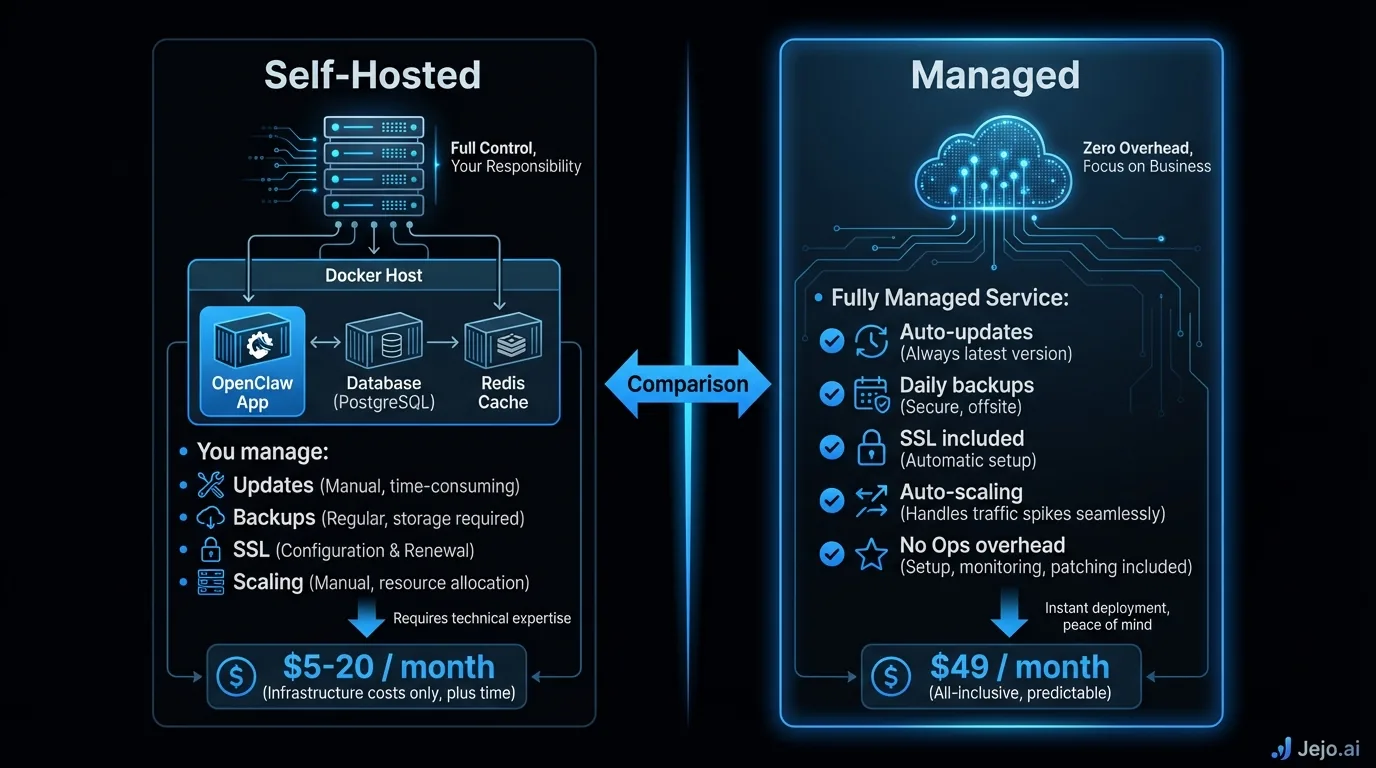
Option 1: Self-host on a cloud server. You rent a server from a cloud provider and install OpenClaw yourself using Docker. Full control. Full responsibility. Best for technical teams. Option 2: Self-host on your own hardware. You run OpenClaw on a physical machine you own. Maximum data control. Maximum maintenance. Best for regulated industries with strict data residency requirements. Option 3: Use a managed service. A company like Jejo.ai handles hosting, deployment, monitoring, and maintenance. You manage your agent through the dashboard. Best for non-technical business owners.Cost Comparison
Real numbers. No hidden fees.
| Hosting Option | Monthly Cost | Setup Time | Technical Skill | Maintenance |
|---|---|---|---|---|
| DigitalOcean (cloud self-host) | $48-$96 | 4-6 hours | High | 2-4 hrs/month |
| Hetzner (cloud self-host) | $35-$75 | 4-6 hours | High | 2-4 hrs/month |
| AWS (cloud self-host) | $80-$250 | 6-10 hours | Very high | 3-5 hrs/month |
| Own hardware | $15-$40 electricity | 8-15 hours | Very high | 4-8 hrs/month |
| Managed service (e.g., Jejo.ai) | $750 | 30 minutes | None | Zero |
The price gap looks massive. It narrows fast when you add hidden costs.
Hidden costs of self-hosting:- DevOps consultant: $100-$150/hour, 2-3 hours per month = $200-$450
- Your time troubleshooting: 2-4 hours per month at your hourly rate
- Downtime cost: every hour your agent is offline, tasks pile up
- Security incidents: one breach can cost $10,000+ in regulatory penalties. The IBM Cost of a Data Breach Report puts the average cost of a small business data breach at $4.45 million globally, with regulatory fines representing a significant portion for businesses that failed to maintain basic security hygiene.
Which Cloud Provider for Self-Hosting
If you're going the self-hosted route, here's how the major providers compare for running OpenClaw.
| Provider | Starting Price | Pros | Cons |
|---|---|---|---|
| DigitalOcean | $48/mo (4GB RAM) | Simple interface, predictable pricing | Limited regions |
| Hetzner | $35/mo (8GB RAM) | Best price-to-performance, EU data centers | Fewer managed services |
| AWS | $80/mo (4GB RAM) | Most integrations, global reach | Complex pricing, easy to overspend |
| Google Cloud | $75/mo (4GB RAM) | AI/ML tools built-in | Steep learning curve |
| Vultr | $48/mo (4GB RAM) | Fast deployment, 30+ locations | Smaller community |
For businesses processing over 1,000 agent actions per day, step up to a $75 to $150 plan regardless of provider.
Choosing the Right Option for Your Business
Go self-hosted if:- You have a developer or technical co-founder on the team
- Your industry requires data to stay on your own infrastructure
- You're running 500+ agent actions per day (cost savings compound at scale)
- You enjoy tinkering with technology (some business owners genuinely do)
- You don't have technical staff and don't plan to hire any
- You want your agent working within 48 hours, not 2 weeks
- Your time is worth more than $100 per hour (the labor savings justify the cost)
- You'd rather spend 20 minutes per week in a dashboard than 4 hours per month on server maintenance
- You handle medical records, legal files, or classified information
- Regulatory compliance prohibits cloud hosting entirely
- You already have server infrastructure (IT company, tech startup with a rack)
Server Requirements
Minimum specifications for running OpenClaw, regardless of hosting provider:
| Requirement | Minimum | Recommended |
|---|---|---|
| RAM | 4 GB | 8 GB |
| CPU | 2 cores | 4 cores |
| Storage | 40 GB SSD | 80 GB SSD |
| Bandwidth | 1 TB/month | 2 TB/month |
| OS | Ubuntu 22.04+ | Ubuntu 24.04 |
These specs handle up to 500 agent actions per day. Scale up RAM and CPU for higher volumes. Storage grows with your agent's memory and logs.
Uptime and Reliability
Your agent is only useful when it's running. Here's what to expect from each hosting option in terms of reliability.
| Hosting Option | Typical Uptime | Annual Downtime | What Happens When It's Down |
|---|---|---|---|
| Major cloud (DO, Hetzner, AWS) | 99.9% | ~8.7 hours/year | Agent pauses, tasks queue |
| Own hardware | 95-99% | 44-438 hours/year | Agent stops, tasks lost |
| Managed service | 99.95%+ | ~4.4 hours/year | Provider fixes it, you're notified |
For most small businesses, 99.9% uptime is fine. Your agent being offline for 8 hours spread across an entire year won't meaningfully impact operations. The tasks queue up and get processed when the agent comes back online.
Own hardware is the wildcard. Power outages, hardware failures, internet drops. Unless you have redundant power and networking (most home offices and small offices don't), expect more downtime than cloud hosting.
Managed services typically offer the highest uptime because they run on redundant infrastructure with automatic failover. If one server has an issue, your agent switches to another without interruption.
The cost of downtime matters more than the probability. If your agent processes 100 tasks per day and each task takes 5 minutes of human time, one hour of downtime costs you roughly 25 minutes of manual catch-up. Not catastrophic. But if your agent handles time-sensitive customer support tickets, even 30 minutes of downtime means unhappy customers.Security Considerations by Hosting Type
Different hosting options have different security profiles. Here's what to consider.
Cloud self-hosted: You control server access, but the cloud provider can technically access the hardware. For most businesses, this is acceptable. For regulated industries handling patient records or classified data, it might not be. Enable encryption at rest and in transit. Restrict SSH access. Keep Docker images updated. Own hardware: Maximum security, minimum convenience. Nobody accesses your data unless they physically enter your office. The flip side: physical security is now your problem (fire, theft, natural disaster). And without professional network security, you might be more vulnerable than cloud hosting, not less. Managed service: Your data lives on the provider's infrastructure. Check their security certifications (SOC 2, ISO 27001), data handling policies, and whether they offer data residency guarantees. A good managed service is more secure than most self-hosted setups because they have dedicated security teams.Monitoring Your Hosted Agent
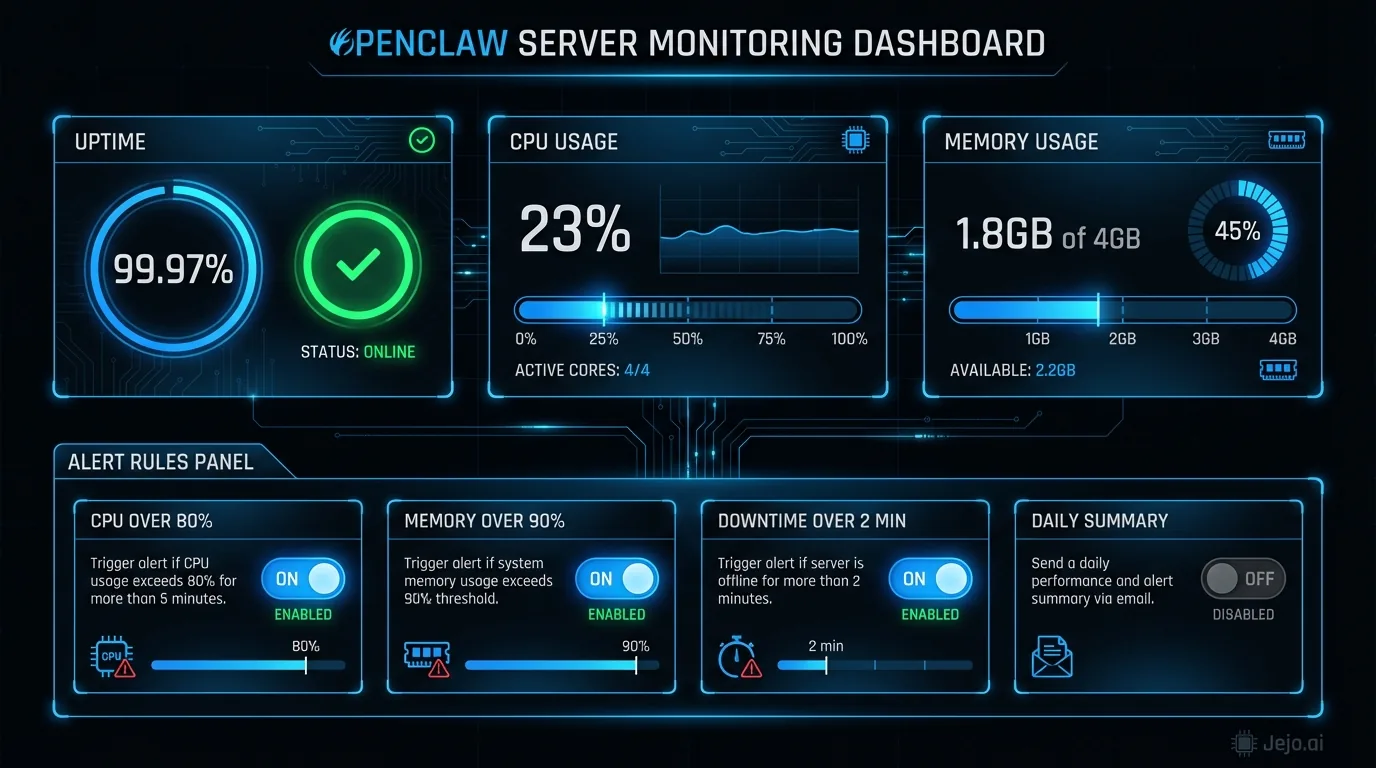
Whether you self-host or use a managed service, monitoring is what catches problems before they become disasters.
What to monitor:- Server uptime: Is the server running? A simple ping check every minute costs nothing and alerts you within 60 seconds of a crash.
- Agent responsiveness: Is the agent actually processing tasks, or is it running but stuck? Monitor task queue depth. If tasks pile up without being processed, something is wrong even if the server shows healthy.
- Resource usage: RAM and CPU creeping toward 100%? Your agent is approaching its limits. Time to scale up or optimize.
- Error rates: More than 5% of tasks failing is a flag. Check the error log for patterns.
- UptimeRobot: monitors server availability, sends alerts via email or SMS. Free tier covers 50 monitors.
- Grafana + Prometheus: open-source stack that tracks server metrics with dashboards. Setup takes 2 to 3 hours but gives deep visibility.
- Netdata: one-command install, real-time metrics. Best for single-server setups.
Regional Hosting and Data Residency
Where your server is physically located matters more than most business owners realize. If your customers are in the EU, hosting your agent on a European server reduces latency and keeps data within GDPR jurisdiction. If you're in Australia serving Australian clients, a Sydney-based server delivers faster response times than one in Virginia.
Latency effect on performance: An agent hosted on a server close to your business tools (especially email servers and CRM databases) processes tasks faster. The difference between a US-East server and a US-West server is small (under 50ms). The difference between a US server and an EU server for a European business can add 150 to 200ms per API call, which compounds across multi-step workflows. Data residency requirements: GDPR requires that EU citizen data stays within GDPR-compliant jurisdictions. For EU-based businesses, this means your OpenClaw hosting must be in an EU data center or a country with EU adequacy status. Hetzner (Germany, Finland) and major cloud providers (AWS EU regions, DigitalOcean Amsterdam or Frankfurt) all satisfy this requirement. For businesses handling data from multiple regions, check the data processing agreements with your hosting provider.Migration Between Hosting Options
One of Docker's best features: portability. Moving your OpenClaw agent between hosting options takes 2 to 4 hours with technical help. Your agent's configuration, skills, memory, and connected integrations all transfer.
Common migration paths:
- Self-hosted to managed: Business grows, owner realizes maintenance isn't worth the time
- Managed to self-hosted: Business hires a CTO, wants to bring infrastructure in-house
- Cloud provider to cloud provider: Chasing better pricing or regional data centers
No data loss in any direction when done properly. See OpenClaw Docker for the technical details on containerized deployment.
For a complete platform overview, read what is OpenClaw. To get started with deployment, see OpenClaw setup.
FAQ
What's the cheapest way to host OpenClaw?
Hetzner at $35 per month for an 8GB server. Add $0 if you handle maintenance yourself, or $200 to $450 if you outsource to a freelance DevOps person. Total: $35 to $485 per month depending on your technical comfort level.
Can I run OpenClaw on my laptop?
Technically yes, for testing. Not recommended for production. Your laptop needs to stay on and connected 24/7. It introduces security risks. And when you close it to take a meeting, your agent stops working. Use a proper server.
Is OpenClaw safe to use?
Yes. OpenClaw's codebase is public and continuously reviewed by an active developer community. Self-hosted deployments keep all your data on servers you control. Managed deployments use providers with standard encryption and access controls. The risk most people run into isn't the software itself but an improperly configured server. If you're not comfortable with server security, the managed path through Jejo.ai at $750/mo handles that for you.
Can I switch hosting providers later?
Yes. Docker containers are portable. Export your agent, spin up a new server, import. The process takes 2 to 4 hours. Your agent keeps all its skills, memory, and configurations. This is one of the core advantages of OpenClaw's architecture.
What happens to my agent data if I cancel a managed service?
Good managed services provide data export before cancellation. Your agent configuration, skill settings, and conversation history should be exportable in a standard format that you can use to migrate to another provider or to self-hosting. Confirm this policy before signing up. Any provider that doesn't offer data export is a lock-in risk.
