Quick answer
- What this covers: Best marketing automation tools for small business: 4 tools under $63/month handle 80% of your needs.
- Who it’s for: Founders doing their own marketing without a team.
- What it costs: $0-$100/month.
Most small businesses waste $2,000-$4,000 on marketing automation tools before landing on the right setup. The four tools that handle 80% of small business marketing needs cost under $63 a month combined. This guide covers what actually delivers, real pricing, and the exact order to set it up. No marketing team required.
For the broader framework on running your business with fewer people, see small business operations. This article focuses specifically on marketing automation.
Key takeaways:
- The $63 Marketing Stack (HubSpot Free + Mailchimp + Buffer + Zapier) covers 80% of small business marketing needs for under $63/month. It is the foundation most businesses run before any paid upgrade
- Most small businesses end up running 4-6 tools simultaneously, adding $80-$200/month in software plus ongoing maintenance time
- Tools execute rules. They cannot adapt mid-stream, respond at 11 PM, or handle a lead reply that goes off-script
- When the stack costs more time to manage than it saves, one AI agent handling all of this is the simpler option
In this article:
- What Marketing Automation Actually Means for Small Business
- The Best Marketing Automation Tools by Category
- Marketing Automation Tool Comparison Table
- The Problem With Tool Stacks
- How to Choose: The 3-Question Framework
- Building Your Small Business Marketing Automation Stack
- Common Mistakes Small Business Owners Make With Marketing Automation
- FAQ
What Marketing Automation Actually Means for Small Business
Marketing automation for small business means using software to handle email sequences, social scheduling, lead capture, and CRM (customer tracking system) follow-up without manual effort each time. A complete stack costs $0-$100/month and handles 80% of routine marketing activities automatically. Most small businesses need four tools: a CRM, an email platform, a social scheduler, and an integration layer.Marketing automation is not one tool. It is a category covering four distinct jobs:
- Email automation: sending the right email to the right person at the right time based on their behavior
- Social media scheduling: publishing content across platforms without logging in every day
- Lead capture and follow-up: collecting leads from your website and triggering follow-up sequences
- CRM automation: tracking deal stages, sending reminders, and triggering tasks based on pipeline status
Most small business owners need all four. Most small business owners patch them together with 3-4 tools. Here is what works.
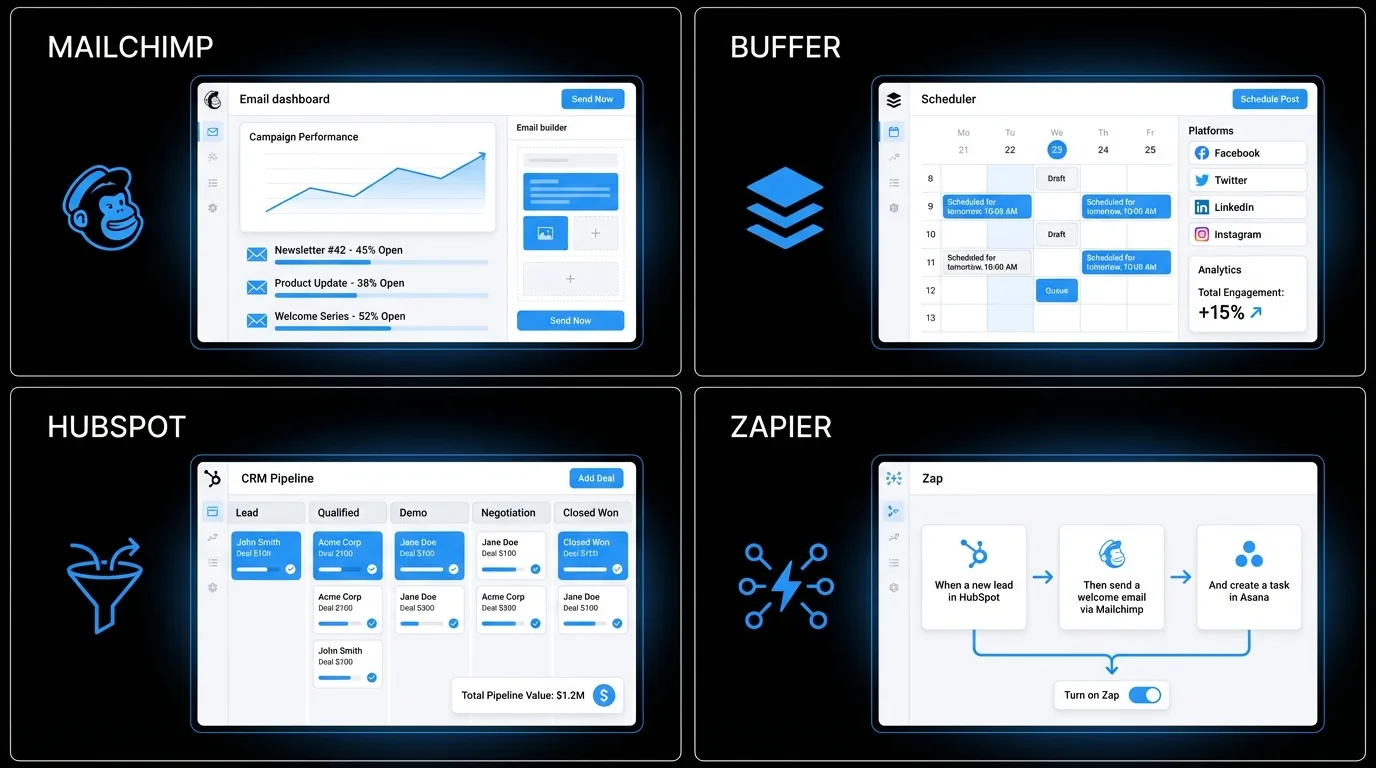 Marketing automation stack at a glance: A 4-tool stack (HubSpot Free + Mailchimp + Buffer + Zapier) costs $0-$63/month and handles lead capture, email nurture, social scheduling, and integration for a typical 1-5 person service business. Setup takes 9-12 hours spread over 3 weeks. Monthly maintenance runs 2-3 hours. Most small businesses under $1M revenue run this stack before touching paid tiers. Small business marketing benchmarks recommend allocating 7-8% of revenue to marketing; this stack uses under 0.1% of a $300K business's budget.
The Best Marketing Automation Tools by Category
Best for Email Automation
Mailchimp (free to 500 contacts, then $13-$20/mo)The default choice for a reason. Mailchimp handles list management, drip sequences, and basic behavioral triggers (opened email, clicked link, made a purchase). The free tier is genuinely useful. The paid tiers add automation branching and A/B testing.
Limitation: gets expensive fast as your list grows. At 10,000 contacts, you are paying $100/month. Kit (formerly ConvertKit) ($25/mo for up to 1,000 subscribers)Built for creators and service businesses. Better automation logic than Mailchimp at the mid-tier. The visual automation builder makes it easier to build sequences without a developer. Also handles forms and landing pages.
ActiveCampaign ($29-$49/mo for small lists) The most powerful email automation tool on this list. CRM built in. Deep behavioral automation. Integrates with everything. Overkill for most businesses under $500K/year. Worth considering if email is your primary sales channel.Best for Social Media Scheduling
Buffer (free for 3 channels, $6/mo per channel after)Clean interface. Works. Schedule posts across Instagram, LinkedIn, Facebook, Twitter/X, Pinterest, and TikTok from one place. The free tier handles most small business needs. No AI content generation, just scheduling.
Later ($16-$25/mo)Strong on Instagram and TikTok. Visual content calendar makes planning easier. Better analytics than Buffer at the same price point. If Instagram is your primary platform, Later wins.
Metricool ($18/mo)Best all-rounder for small teams. Includes scheduling, analytics, competitor tracking, and basic reporting. Better value than Buffer or Later if you want analytics alongside scheduling.
Best for Lead Capture and Follow-Up
HubSpot CRM (free tier is genuinely capable)HubSpot's free tier includes CRM, forms, live chat, email marketing (2,000 sends/month), and basic automation. For a small business with under 1,000 contacts and simple follow-up needs, the free tier covers everything. Paid tiers ($45-$800/mo) add marketing automation, sequences, and reporting depth.
Keap ($149-$199/mo)CRM plus marketing automation plus sales pipeline in one platform. Built specifically for small business. More expensive than HubSpot free, but if you need end-to-end automation from lead capture to closed deal, Keap avoids the integration headache of patching three tools together.
Best for Connecting Everything
Zapier (free for 100 tasks/mo, $20-$49/mo for more)The connective tissue of small business automation. Zapier links tools that do not natively talk to each other: new HubSpot contact triggers a welcome email in Mailchimp and a task in Asana. More than 6,000 app integrations.
Make (formerly Integromat) ($9/mo for 10,000 operations)More powerful than Zapier for complex workflows. Visual automation builder handles multi-step, conditional logic that Zapier charges extra for. Better value for businesses with complex automation needs.
Marketing Automation Tool Comparison Table
| Tool | Best For | Starting Price | Learning Curve | Best Fit Business Size |
|---|---|---|---|---|
| Mailchimp | Email marketing + lists | Free / $13/mo | Low | 1-20 employees |
| Kit | Creator/service email | $25/mo | Low-Medium | 1-10 employees |
| ActiveCampaign | Advanced email + CRM | $29/mo | Medium-High | 5-50 employees |
| Buffer | Social media scheduling | Free / $6/ch | Very low | Any size |
| Later | Instagram/TikTok focus | $16/mo | Low | 1-10 employees |
| HubSpot Free | Lead capture + CRM | Free | Medium | 1-20 employees |
| Keap | Full small biz CRM | $149/mo | Medium | 5-20 employees |
| Zapier | Tool integration | Free / $20/mo | Low-Medium | Any size |
| Make | Complex automation | $9/mo | Medium | 5-50 employees |
The Problem With Tool Stacks
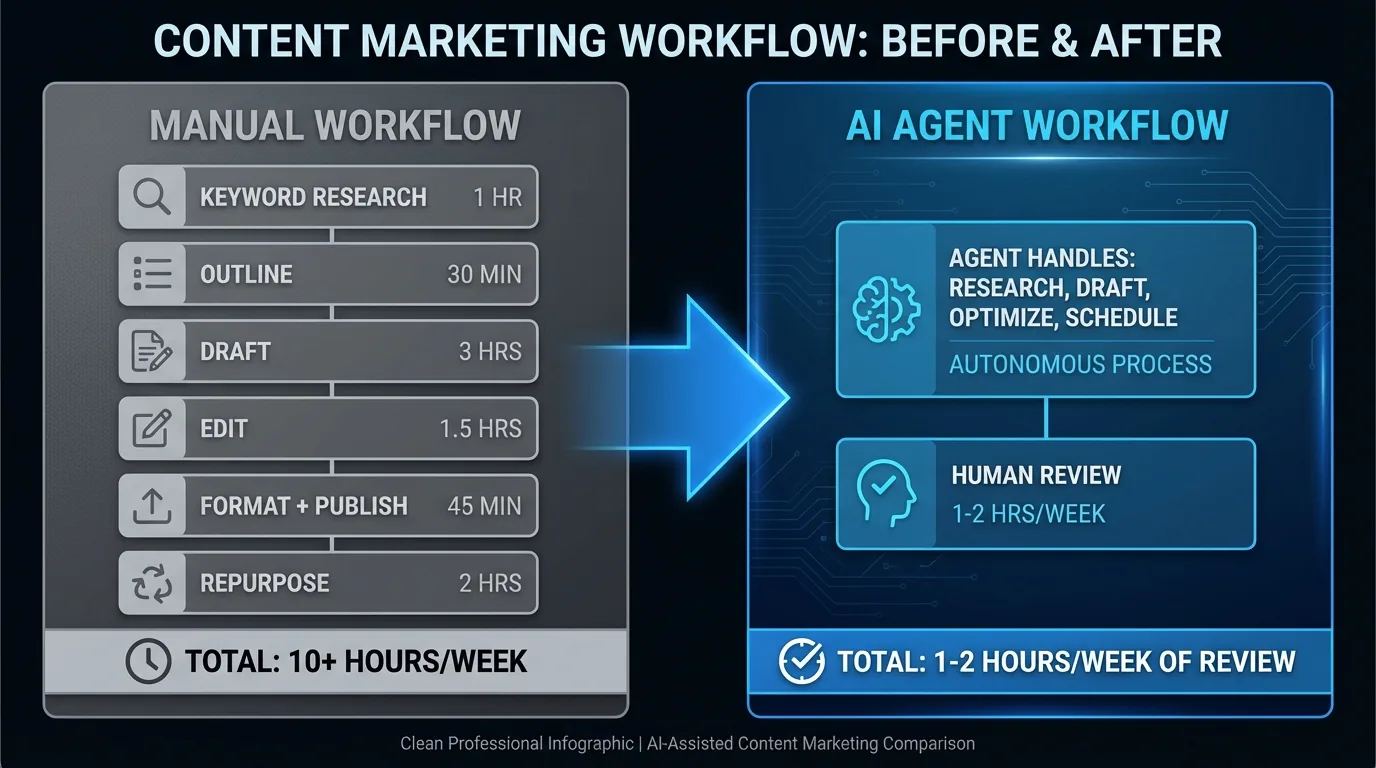
Most small business owners reading this article will end up running 4-6 of these tools simultaneously. That is $80-$200/month in software plus the time to manage integrations, fix broken Zaps, update sequences, and keep everything synced.
Tools do tasks. They do not think.
Three honest limitations before you build the stack:
Automated follow-up sequences work until they don't. A prospect in a difficult situation gets the same chipper day-7 check-in as everyone else. The sequence doesn't read context. It fires the next step. Marketing automation without good content is spam on a schedule. These tools distribute whatever you put in them. If your emails aren't converting manually, automation will not fix that. Consistency with weak content is reliably weak. You will not know when something breaks until a client tells you. Zapier hits an API limit. Mailchimp updates its authentication. A sequence stops silently. The monthly audit habit in the setup section below exists because this happens to every stack, including well-built ones.Stuck managing tools instead of growing? Book a 20-minute call to map what one AI agent would replace in your current stack. Or explore the options.
When your email sequence needs to adapt because a prospect replied differently than expected, no tool handles that. When you want someone monitoring your inbox at 11 PM and responding to time-sensitive leads, tools stop working and humans start costing $15-$75/hr.
This is why more small business owners are looking at AI agents for the layer between automation and human judgment. For a full look at how AI fits small business operations, see AI for small business automation.
How to Choose: The 3-Question Framework
Before buying any tool, answer these three questions:
1. What is the specific task this tool needs to handle?Do not buy a marketing suite when you only need email scheduling. Do not buy a scheduling tool when you already have one in your CRM. Match the tool to the specific job.
2. How long will this take to set up and maintain?A tool that takes 8 hours to configure and 2 hours/month to maintain costs more than its subscription fee. Factor in your time at your hourly rate.
3. What happens when the tool fails?Every tool breaks or misses an edge case. Do you have a fallback? Is there a way to catch the failure before it reaches a client?
Building Your Small Business Marketing Automation Stack
For a lean 1-5 person business with a service model, here is a functional stack that costs under $100/month:
| Layer | Tool | Monthly Cost |
|---|---|---|
| CRM + Lead capture | HubSpot Free | $0 |
| Email automation | Mailchimp or Kit | $0-$25 |
| Social scheduling | Buffer | $0-$18 |
| Integration layer | Zapier | $0-$20 |
| Total | $0-$63/month |
This combination has a name: The $63 Marketing Stack. One CRM, one email tool, one social scheduler, one integration layer. Most small businesses run this foundation for 12-18 months before a paid upgrade makes financial sense.
The $63 Marketing Stack handles 80% of small business marketing automation needs. For small business workflow automation, the same tools apply outside of marketing. For the process foundation that automation runs on top of, business process workflow and small business systems cover the structural layer.Add ActiveCampaign or Keap when you hit 1,000+ contacts or need more complex pipeline automation.
 , Zapier (integration, $0-$20), Mailchimp (email, $0-$25), and Buffer (social, $0-$18). Blue arrows connect each node left to right. Monthly cost labeled under each tool. Total $0-$63/mo shown at the right. 16:9 infographic style, clean and professional.)
What This Stack Looks Like in Practice
Sarah runs a 3-person bookkeeping firm in Austin. Before automation, she spent 90 minutes every Monday morning manually emailing new leads from her website contact form. She had 40 contacts in a spreadsheet with no follow-up system. 12 inquiries had gone cold in the previous 6 weeks.
She set up The $63 Marketing Stack in one afternoon.
HubSpot Free captures every new contact form submission and automatically sends a welcome email within 2 minutes. Mailchimp runs a 3-email sequence over 10 days. Buffer schedules 3 posts per week on LinkedIn from content she writes once a month.
Zapier connects everything so a new HubSpot contact triggers the Mailchimp sequence automatically.
Result after 60 days: 7 of those 40 cold contacts re-engaged after the automated follow-up. Three became clients. At her average contract value of $400/month, that is $1,200/month in recurring revenue from a $63/month investment and one afternoon of setup time.The tools did not make her a better marketer. They made her consistent. Consistency is what was missing.
One home services business running the same stack re-engaged 9 cold leads in the first two weeks after activating their automated follow-up sequence. Four became clients. No extra hours spent.
Common Mistakes Small Business Owners Make With Marketing Automation
Buying before auditing. Most owners buy a tool to solve a problem they haven't fully diagnosed. They sign up for ActiveCampaign when they don't yet have 100 email subscribers. They pay $49/month for automation logic they won't use for 18 months. Audit your current situation first: how many contacts do you have, what tasks are you doing manually, what does failure look like? Building automation before having content. An email sequence with no emails is a Zapier workflow that runs and fails silently. Before setting up automation, write the emails. All of them. An empty automation system produces nothing. Setting it up and forgetting it. Automations break. Email addresses bounce. Zapier workflows hit API limits (the cap on automated actions your plan allows per month) and stop silently.Set a monthly 30-minute calendar block to review your automations. Check open rates, bounce rates, and whether triggers are firing correctly.
Businesses that don't audit their automations regularly discover broken sequences 3 months after they stopped working. That is 3 months of missed leads.
Automating channels that aren't working manually. If email is not converting when you send it manually, automating email will not fix the conversion problem. It will just make the failed approach run faster. Prove a channel works before you automate it. Using too many tools from the start. Starting with 6 tools creates 6 points of failure and 6 learning curves simultaneously. Start with one tool that solves your biggest problem. Get it working. Add the next tool only when the first one is running reliably.Step-by-Step: Setting Up Your First Marketing Automation Stack
Follow this sequence. It works for businesses with no technical background and a budget under $100/month.
Step 1: Set up HubSpot Free (Week 1, about 2 hours)Create an account. Connect your website contact form so new submissions flow into HubSpot automatically. Write one welcome email. Test it by submitting the form yourself. Confirm the email arrives. This single step stops leads from falling through the cracks immediately.
Step 2: Write your email sequence before building it (Week 1, about 3 hours)Write 3-5 emails before touching any automation settings. Email 1: welcome and what to expect next. Email 2: your most useful free content or case study (3 days later). Email 3: a specific offer or next step (7 days later). These three emails handle 80% of what a lead nurture sequence needs to do.
Step 3: Build the sequence in Mailchimp or HubSpot (Week 2, about 2 hours)Load the emails you already wrote. Set the timing. Test the full sequence by adding a test contact and running through it manually. Every step.
Step 4: Connect with Zapier (Week 2, about 1 hour)If your CRM and email tool do not natively connect, use Zapier to bridge them. Most common connection: new HubSpot contact triggers enrollment in a Mailchimp sequence. Test this end-to-end before going live.
Step 5: Set up social scheduling (Week 3, about 1 hour)Install Buffer. Connect 2-3 of your most active platforms. Write 4 posts for the first week. Schedule them. Set a recurring monthly task to write the next month's posts.
Step 6: Review after 30 daysCheck open rates, click rates, and whether your Zapier connections are still firing. Adjust timing or messaging based on what the numbers show. One review cycle is worth more than 10 hours of upfront configuration.
Total setup time: 9-12 hours spread over 3 weeks. Monthly maintenance: 2-3 hours.Not sure which tool to start with? Most businesses waste 3-4 months trying tools in the wrong order. Book a free 20-minute call and we will map the right sequence for your setup. Or start with the onboarding checklist.
The Alternative: One Agent Instead of Ten Tools
Most small business owners who build The $63 Marketing Stack eventually hit the same wall. The tools work individually. Together, they create a system you have to maintain.
Broken Zapier connections. API updates that stop integrations silently. A Mailchimp sequence still running on outdated copy because nobody has had time to audit it. Two hours every month just making sure everything still talks to each other.
The alternative: one AI agent that handles what the whole stack does, without the maintenance overhead.
An AI agent monitors your inbox, drafts and sends follow-up messages, manages your lead sequences, and compiles your marketing performance summary. When a lead responds outside the script, the agent reads the context and adapts. No rule required.
For small businesses where marketing automation is the goal but managing tools is not, Jejo.ai offers this as a fully managed service at $750/month ($9,000/year). One setup. The follow-up, lead nurture, and reporting run without your ongoing involvement.
The 30-day money-back guarantee means you can test whether it actually handles your business before committing. See how it compares to the tool stack.
AI agent vs. tool stack: An AI agent at $750/month handles what a 4-6 tool stack does, plus real-time inbox monitoring and adaptive lead response. The tool stack costs $0-$200/month but requires 9-12 hours of setup and 2-3 hours of monthly maintenance. The AI agent setup takes about 1 week. Businesses switching from a tool stack to an AI agent typically cancel $300-$400/month in redundant tools within 60 days, based on patterns we've seen across clients.Who This Is For
- 1-10 person service businesses with no dedicated marketing staff who need consistent lead follow-up and email automation
- Business owners under $500K/year who want to automate marketing without a developer or agency
- Anyone currently doing 5+ hours/week of manual email follow-up who wants to reclaim that time for delivery work
Who This Is NOT For
- Businesses already running a full-service agency retainer that handles tool management and execution
- Teams above $1M in revenue who need a dedicated marketing hire rather than a self-managed stack
- Business owners who want automation that runs without any weekly oversight (see Jejo.ai for a fully managed option)
The Bottom Line
The best marketing automation tools for small business are HubSpot Free, Mailchimp, Buffer, and Zapier as a stack that costs $0-$63/month and covers 80% of marketing needs. Most businesses get full value from this stack before touching paid tiers. When the maintenance overhead of managing the tools exceeds the time it saves, one AI agent at $750/month replaces the whole stack and adds 24/7 lead response. Compare the options.FAQ
What is the best free marketing automation tool for small business?
HubSpot's free CRM is the strongest free option for end-to-end lead management. Mailchimp free covers email automation up to 500 contacts. Buffer free handles social media scheduling for up to 3 channels. These three tools together cost nothing and cover the core marketing automation needs for most small businesses.
How much do small business marketing automation tools cost?
A basic stack (email + social + CRM) runs $0-$100/month depending on contact volume and features. Mid-tier stacks with more automation depth run $150-$300/month. All-in-one platforms like Keap run $149-$199/month. Most small businesses under $1M/year run effectively on the free and low-cost tiers.
Do I need a developer to set up marketing automation?
No. Every tool on this list is designed for non-technical users. Zapier and Make require some logical thinking but no coding. The biggest barrier is not technical, it is time: expect 4-8 hours to set up a basic automation stack and test it properly.
What is the difference between marketing automation and a CRM?
A CRM tracks your contacts and deals. Marketing automation sends communications and triggers actions based on contact behavior. Most small businesses need both. HubSpot and Keap combine them. If you use separate tools, Zapier connects them so data stays in sync.
When does marketing automation stop being enough?
When your marketing requires real-time judgment rather than rule-based logic. Templates and triggers handle known scenarios. When a prospect asks something unexpected, or a campaign needs to adapt mid-stream, tools hand off to humans or AI agents.
Three specific signs you have hit the limit: First, you are spending more time fixing broken integrations than building new marketing. Second, your sequences are sending the wrong message to the wrong person because your contact database is not segmented correctly and you don't have time to fix it. Third, you have leads responding to automated emails in ways that deserve a real answer, but the only thing they get back is the next message in the sequence. At that point, you are not saving time with automation. You are losing opportunities with it.
Tired of managing tools that were supposed to save you time?
An AI agent handles email, follow-up, and marketing operations without broken integrations or hourly management. See how it works or get started.
